4 minutes
The Bootloader-less Linux Life
Intro
The humble bootloader, part of our lives since our first steps with modern OSes like Linux. Part of the standard booting process for decades lending much help (and headaches) to Linux users and sysadmins alike.
The story of exploration of the bootloader-less life starts, as always, with sudden spike of frustration aimed at and caused by our friend Grub. While the reasons are irrellevant to our story, they pushed me down the rabbit hole of research about the booting process and by extension the UEFI Firmaware and its inner workings.
When using UEFI Firmware on a machine, Grub is installed as a EFI executable in the EFI partition. UEFI upon the machines start, executes this EFI executable thereby loading the Grub bootloader into the memory.
Then comes the question. If UEFI executes the Grub bootloader just as a simple EFI executable file, can’t we do this same thing with the linux kernel directly?
UEFI Direct kernel execution
Well, good question I say! Yes, yes we can! The main dependecy in this case is the need to compile the linux kernel as a EFI executable. This can be done easily in the kernel config by enabling “EFI Stub Support” and its dependencies. Gentoo Wiki does a good job in explaining it in detail so I don’t need to here. And yes all this testing was done on Gentoo Linux.
So the functionality is there, but how to use it in a practicall and user friendly manner? Well, there is a tool called efibootmgr, it is a great tool which allows us to edit UEFI Entries from the booted Linux OS. This is fantastic, because it gives us a somewhat easy way to interact with the UEFI firmware via our OSes Shell.
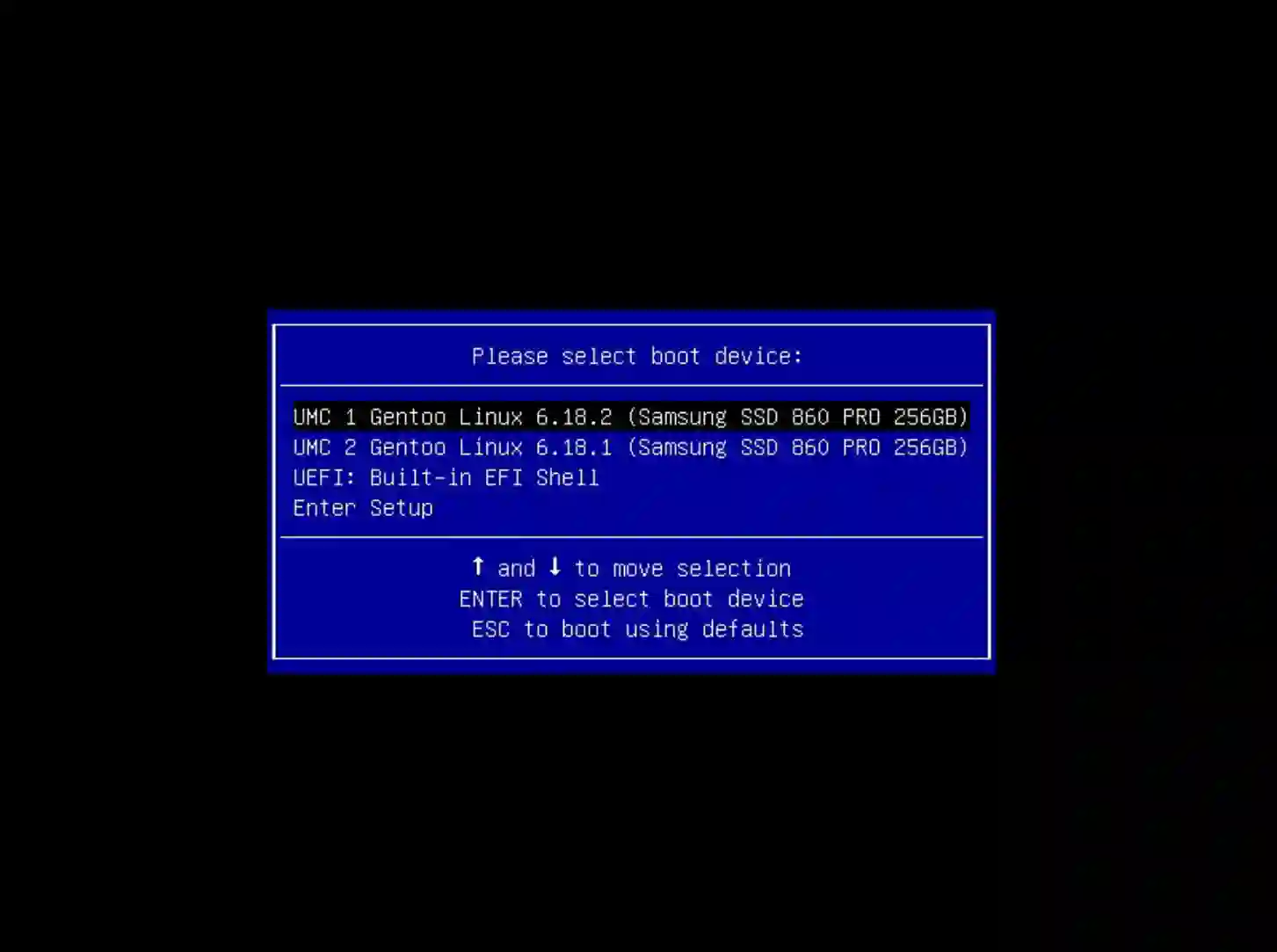
UEFI Entry can be in our case thought of as an equivalent of a Grub kernel entry. It consists of a name of the entry and all other information that the UEFI firmware needs to find and execute the kernel. We set the path to the kernel EFI executable and kernel command line via this UEFI Entry. We can see the list entries while we are booting our system by pressing F11 (or equivalent key that gets you to the boot menu). Boot menu of the UEFI Firmware from now on becomes our kernel selection menu.
So now, we can compile the kernel in a way that UEFI can execute it directly, UEFI Boot Menu as our kernel selection menu and efibootmgr tool that allows us to configure entries in this boot menu. The last piece of the puzzle that remains is a way to automate all of this so it can be easily used together.
Automating the process
Here comes one of my projects called uefi-mkconfig! It’s a bash script that utilizes a simple config file for kernel commandline configuraion and efibootmgr for UEFI Entry management. It can automatically find kernel EFI files on all currently mounted EFI partitions and create an UEFI Entry for each of them with the kernel commandline set in its configuration file. It also supports adding multiple entries for signle kernel if you need to have entries with differrent kernel commandlines and many more features. Currently it is available from the official gentoo overlay and is supported also by the installkernel package for completely automatic kernel installation and UEFI Entry creation. Once configured, it just works…
…when it works. Now, the not so fun part of the journey. One thing that I learned througout all of this, is that the UEFI Firmware implementations amongst all the motherboard manufacturers are wildly inconsistent. Some feature work one way on some boards and other way in others. On some boards, UEFI firmware boots automatically entry with the highest boot number, some boards boot the entry with the lowest boot number first. And many many more things like this. I will probably compile a list sometime in the future.
We are adding workarounds to the uefi-mkconfig scripts for shenanigans like this (reverting the order in which the entries are added, character limit on entry name etc.), they are able to be configured via the config file. We are still finding more from time to time. So if you are planning to use this method, please, testing it before using it in production is important. And, if you find some UEFI weirdness, don’t hesitate to report it to uefi-mkconfig github.